Shieldome
OWASP Top 10 · 2021

Enterprise-Grade Web Vulnerability Scanner

Detect security risks before attackers do. Automated OWASP Top 10 checks, performance analysis, and professional PDF reports — all in one tool.

SSL/TLS — valid & up to date
X-Frame-Options — missing
HTTPS redirect — enforced
100+security checks
10OWASP categories
8+export formats
SSEreal-time scanning
Features

Everything you need to secure your web applications

Comprehensive vulnerability scanning designed for security professionals and developers alike.

🛡️

OWASP Top 10 Coverage

Full coverage of all 10 OWASP risk categories (2021) — injection, broken auth, misconfigurations, cryptographic failures, and more.

Performance Analysis

DNS lookup time, TTFB, page size, HTTP/2 support, compression, and caching — a complete picture of your site's performance.

📄

Professional PDF Reports

Generate detailed PDF reports with findings, severity ratings, OWASP mapping, evidence, and step-by-step remediation guidance.

📡

Real-Time Progress

Watch your scan progress live. Server-Sent Events push every update to your browser the moment it happens.

📈

Scan History & Trends

Track vulnerabilities over time. Compare scans, detect regressions, and measure security improvements across multiple runs.

🔌

CI/CD: GitHub, GitLab, Bitbucket & More

Native GitHub Action, GitLab CI template, universal shell script, and REST API — integrate with any pipeline in minutes. Trigger scans on every push, block merges on HIGH findings, and export SARIF to GitHub Advanced Security.

🏅

Security Certificate & Badge

Every scan that earns Grade A or B automatically issues a 90-day Shieldome certificate. Embed the SVG badge on your site to show visitors your security is independently verified.

🕵️

Dark Web & Breach Monitoring

Automatically checks if your domain appears in HaveIBeenPwned breaches, public Pastebin dumps, and AlienVault OTX threat intelligence — flagging exposed credentials before attackers use them.

Attack Path Correlation

Findings are automatically linked into exploitable attack chains — showing how a weak cookie header combined with an XSS issue becomes a full account takeover, not just two isolated findings.

📋

Security Questionnaire Autofill

Every scan pre-fills a SIG-Lite/CAIQ-style questionnaire with Yes/No/Partial answers derived from your findings. Override any answer, add notes, and export a ready-to-send CSV.

🔐

Single Sign-On (Google & Microsoft)

Teams can sign in with Google Workspace or Microsoft Entra ID. Admins configure per-org SSO in the team dashboard — built on OpenID Connect with a SAML-extensible architecture.

📊

Industry Benchmark

Your risk score benchmarked against other organizations in your industry. See whether you're in the top or bottom half of your sector — directly in the scan report and PDF.

🔑

JavaScript Secrets Deep Scan

Fetches every JavaScript file — including webpack chunks — and scans for 36+ credential types: AWS keys, GitHub tokens, Stripe secrets, Firebase keys, database connection strings, and more. Entropy analysis catches secrets that regex misses.

📐

Compliance Posture per Control

Maps every finding to specific controls in SOC 2, ISO 27001, GDPR, and PCI-DSS v4. See exactly which controls pass, fail, or are partially met — and show the breakdown to your auditors directly from the report.

🔔

Slack & Jira Integration

Post scan summaries to Slack the moment a scan finishes. Automatically create Jira Bug tickets for critical and high findings — one ticket per finding, with evidence and remediation pre-filled. Configure per organization.

🔓

Authenticated Scanning

Scan behind login. Inject cookies or a Bearer token to scan authenticated pages, or let Playwright perform a real form login. Finds vulnerabilities that only appear when you're logged in — the majority of real-world attack surface.

🔒

CSP Builder, GraphQL & Email Security

Interactive Content Security Policy builder with live scoring. Dedicated GraphQL introspection and injection checks. SPF, DKIM, and DMARC record validation — catch email spoofing risks before attackers do.

🕶️

Stealth Mode, Profiles & Scan Diff

Normal, Cautious, and Stealth scan speeds let you balance thoroughness against target server load. Save scan profiles for one-click re-use. Diff any two scans to track what changed — regressions and new fixes, side by side.

💡

Plain-Language Finding Insights

Every finding includes a plain-language explanation: what it means, why it matters, and how to fix it — with tech-stack-specific config examples for Nginx, Apache, Django, Express, WordPress, and more. No security expertise required.

🕸️

Multi-Page Site Crawler

Shieldome crawls your entire site — not just the homepage. Forms, API endpoints, and hidden pages across up to 50 URLs are automatically discovered and tested, giving you real coverage instead of a false sense of security.

One-Click Fix Verification

After deploying a fix, click Verify Fix on any finding. Shieldome re-scans the target in real time and confirms whether the issue is resolved or still present — no manual re-scan needed.

📊

Industry Benchmark & Risk Trends

See how your risk score compares to other sites in your industry. Track your score over time with trend sparklines and full historical charts. Know exactly whether your security posture is improving.

🤖

AI-Powered Scan Analysis

After every scan, ask Claude to interpret the findings — get a plain-English attack narrative, prioritized risk commentary, and remediation sequencing advice. Fully opt-in, privacy-first: only finding names reach the AI, never your raw target URL or vulnerability details.

⚙️

Hardening Config Generator

One click turns your scan findings into ready-to-paste server config snippets — Nginx, Apache, Django, Express, PHP, Spring Boot. Covers missing security headers, HSTS, CORS, cookie flags, TLS settings, and more. No consulting required.

🔐

Professional Pentest Report PDF

Export a full penetration-testing-style report: executive summary, CVSS score ranges, exploitation difficulty ratings, detailed methodology, a finding-by-finding evidence block, and a remediation roadmap bucketed by urgency. Audit-ready in seconds.

🔑

Security Score Public API

Pull your latest security score and grade into your own dashboards, CI/CD pipelines, or Slack alerts with a single authenticated API call. Use your existing Shieldome API key — no new credentials, no new infrastructure.

🎯

Bug Bounty Report Generator

Export critical and high findings as a structured Markdown report formatted for HackerOne, Bugcrowd, and Intigriti. Each finding includes CVSS range, exploitation effort, reproduction steps, impact statement, and remediation guidance — ready to submit.

🐙

Native GitHub App Integration

Install the Shieldome GitHub App on your organization — it automatically tracks your repositories, triggers scans on pull requests, and posts results as GitHub Check Runs. Security gates block merges when critical findings appear, directly inside your CI/CD workflow.

🔗

Client Portal for Agencies

Share branded, read-only security dashboards with your clients — no Shieldome account required. Each portal is a unique tokenized URL filtered to the client's domains, with your own name and logo. Set an expiry date and revoke access at any time.

Remediation Task Tracking

Turn scan findings directly into remediation tasks — assign to a team member by email, set a due date, and track status from Open → In Progress → Fixed. A built-in dashboard shows overdue tasks and progress across all your domains.

🔭

Subdomain Discovery & Auto-Scan

Automatically discover subdomains using certificate transparency logs and passive DNS — no brute-force, fully passive. Discovered subdomains appear in your dashboard; one click activates full scanning. New subdomains surface automatically after every SaaS monitoring scan.

🛡️

Risk Acceptance Workflow

Formally accept a known risk for any finding — attach a reason, set an expiry date, and suppress it from your active risk view. Accepted risks are logged with a timestamp and reviewer, providing an auditable record for compliance purposes.

OWASP Top 10 · 2021

Full OWASP Top 10 Coverage

Every check follows the OWASP Top 10 (2021) standard — the industry benchmark for web application security.

A01 Broken Access Control
A02 Cryptographic Failures
A03 Injection
A04 Insecure Design
A05 Security Misconfiguration
A06 Vulnerable Components
A07 Auth Failures
A08 Integrity Failures
A09 Logging Failures
A10 SSRF
Pricing

Pay once, scan when you need

Buy a pack of scan tokens — each scan uses 1 token. No subscriptions, no recurring charges. Tokens are valid for 12 months from purchase.

⚡ Limited launch offer — 30% off regular prices
Bronze
$21
one-time · 5 scan tokens
  • OWASP Top 10 checks
  • PDF + SARIF reports
  • REST API + CLI access
  • Scan history & trends
  • Tokens valid 12 months
  • Security certificate & badge
Gold
$86
one-time · 30 scan tokens
  • OWASP Top 10 checks
  • PDF + SARIF + DOCX export
  • REST API + CLI access
  • Scheduled & batch scans
  • Tokens valid 12 months
  • Security certificate & badge
Enterprise
$379
one-time · 100 scan tokens
  • Everything in Gold
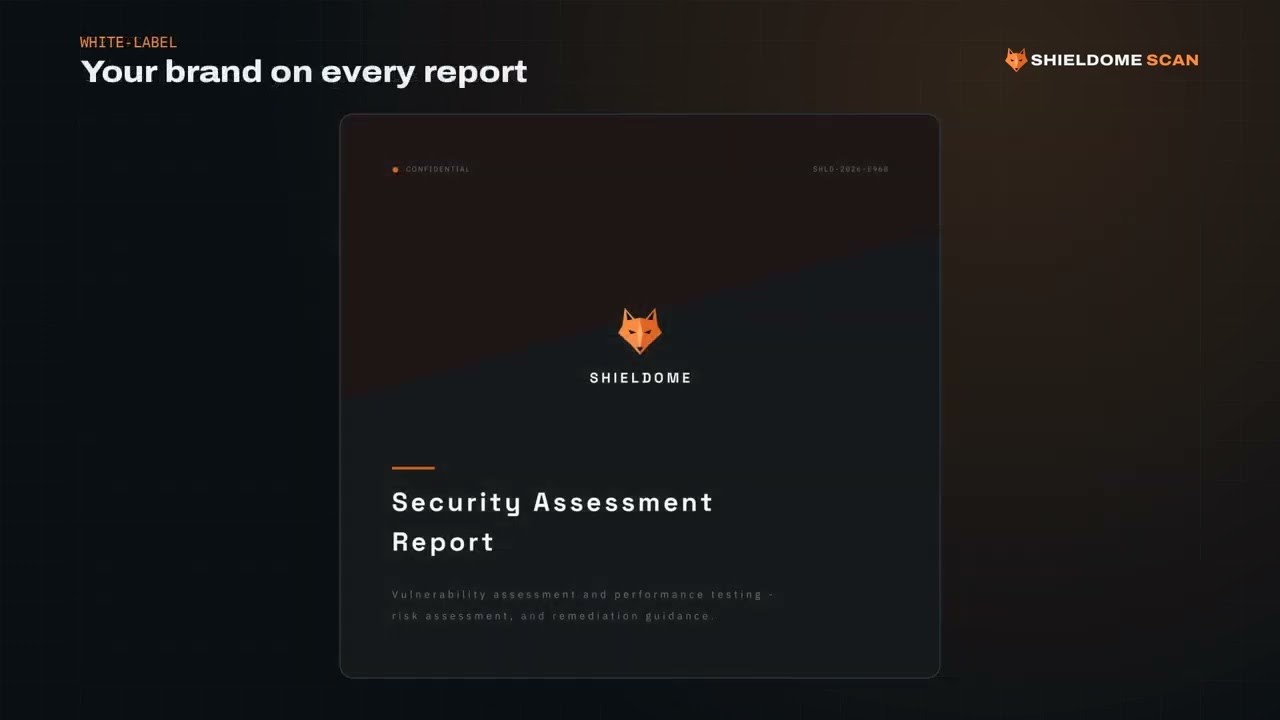
  • White-label PDF reports
  • Priority support
  • Tokens valid 12 months
  • Security certificate & badge
🎁 New accounts get 1 free scan token on email verification — no credit card required.  ·  Need a custom volume deal? Contact us.
📡 SaaS Monitoring

Always-on security monitoring

Register your domains once. We scan them automatically and alert you the moment new vulnerabilities appear — no tokens, no manual effort.

⚡ Limited offer — 30% off regular price
📡 Starter
$30
/month
$43
1 domain · weekly scan
  • 1 monitored domain
  • Automatic weekly scans
  • Port & service exposure scan
  • CVE detection in stack
  • Email alerts on new findings
  • PDF & compliance reports
  • Cancel anytime
📡 Agency
$226
/month
$323
20 domains · daily scan
  • 20 monitored domains
  • Automatic daily scans
  • Full port & CVE scanning
  • New CVE alerts after every scan
  • Attack surface & subdomain map
  • Email, Slack & Jira alerts
  • White-label PDF reports
  • Priority support
  • Cancel anytime
🎁 14-day free trial — no credit card required
Start monitoring your hostname today. Full Pro features for 14 days. If you decide it's not for you, cancel before the trial ends and you won't be charged.
Start free trial
Need one-time audits instead? See token packs ↑  ·  Need custom volume? Contact us.
💬 What our users say

Trusted by security teams

★★★★★

"We run Shieldome on every pull request via GitHub Actions. It caught a path traversal vulnerability in staging before it ever reached production. Paid for itself in the first week."

MK
Marko K.
Lead Developer, FinTech startup
★★★★★

"The SaaS monitoring plan scans our e-commerce platform daily. When we deployed a new checkout page with a missing security header, we had the alert within 24 hours. Our previous tool took weeks to notice."

AT
Ana T.
CTO, E-commerce platform
★★★★★

"We use the Agency plan to run security scans for 12 client websites. The white-label PDF reports look professional enough to send directly to clients. We have replaced two more expensive tools with this."

DS
Dragan S.
Security Agency Owner
FAQ

Frequently Asked Questions

What is Shieldome? +
Shieldome is a passive web vulnerability and performance scanner. It checks your sites against the OWASP Top 10 (2021) and generates detailed reports with remediation guidance.
Is it safe to scan my production site? +
Yes. Shieldome performs passive-first scanning — it detects vulnerabilities by observing server responses, never by actively exploiting them. No destructive payloads are ever sent.
What do I need to get started? +
Create an account, add your authorized domain, and start scanning. You'll have detailed results in minutes.
Can I export scan results? +
Yes — PDF reports, DOCX, JSON, CSV, SARIF (for GitHub Advanced Security), JUnit XML (for CI/CD test reports), Burp Suite XML, and STIX 2.1 threat intel format are all supported.
Do you support API and CLI access? +
Yes. Every feature is available via the REST API and CLI tool, making it easy to integrate into any CI/CD pipeline.
What languages does the dashboard support? +
The scanner dashboard is in English. The landing page is available in English, Serbian, German, French, Spanish, Russian, Portuguese, Japanese, Hebrew, Arabic, and Hindi.
Do I need to whitelist an IP address for scanning? +
Yes, if your server uses a firewall or WAF allowlist. All Shieldome scans originate from a single fixed IP: 63.186.31.77. Add this IP to your firewall rules and the scanner will be able to reach your site.
What is the Shieldome security certificate? +
After every scan that achieves a security grade of A or B, Shieldome automatically issues a certificate valid for 90 days. You get a unique certificate page and an embeddable SVG badge you can place on your site — so visitors know your security has been independently verified. The badge always reflects the latest scan result. If the site regresses to Grade C or below, the badge updates accordingly until a new passing scan is run.